
Protect Your 10 Most Critical M365 Users in Under 10 Minutes
Not all Microsoft 365 data carries the same risk. Start by protecting executive, finance, legal, and other high-impact users with Veeam-powered cloud-to-cloud backup, and expand coverage when you’re ready.
No credit card required. Free for up to 10 users.
Protect Microsoft 365 without the overhead
Start with your most critical users, then expand coverage as you go.
Fast self-service setup
Start protecting Microsoft 365 in minutes. No demos, no sales calls, and no waiting on a project kickoff.
Clear monitoring
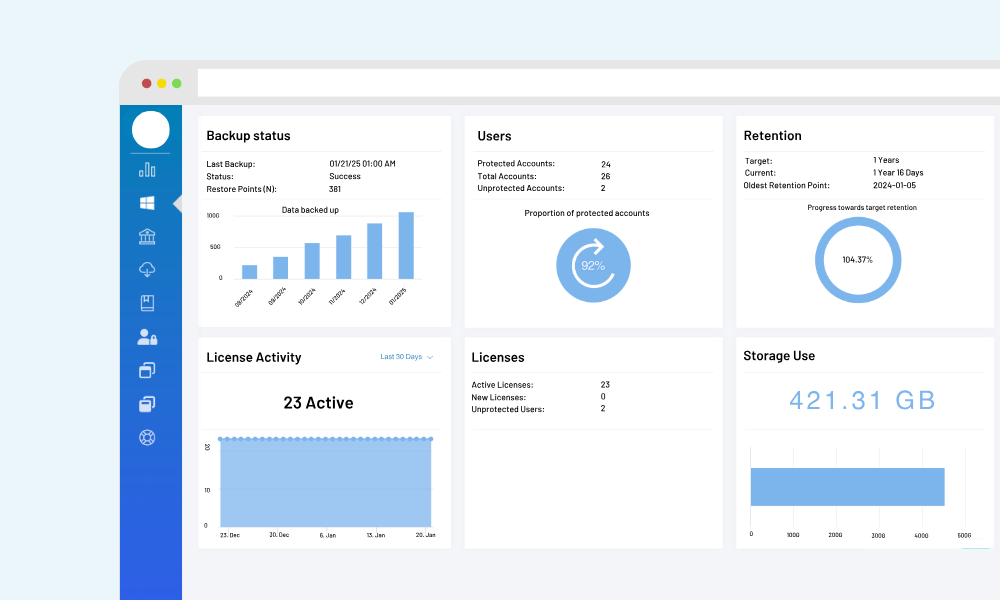
See backup status at a glance and verify protection coverage for the users you care about most.
Reliable recovery
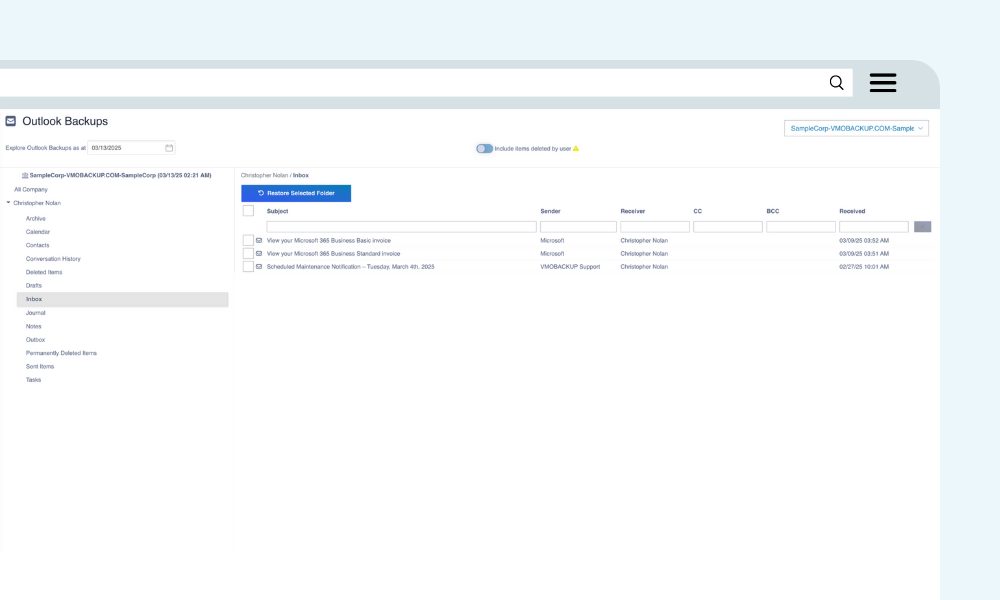
Restore confidently after accidental deletion, overwrites, retention gaps, or security events.
How VMOBACKUP works
Start Protecting in 3 Simple Steps
Sign up. Configure. Restore with ease. Backup doesn’t have to be a burden.
STEP 1
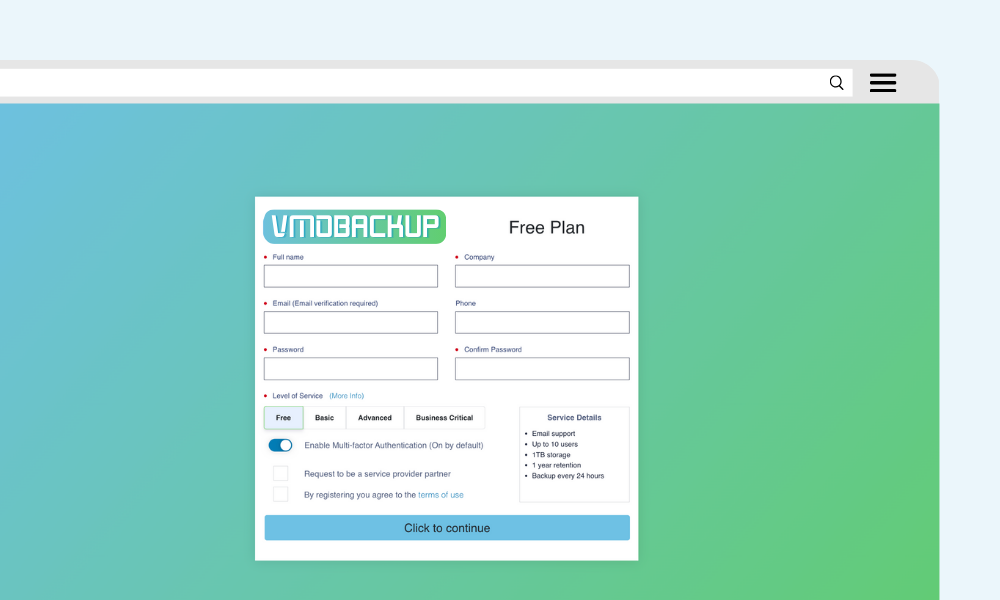
Sign Up in Minutes
- Click the “Get Started Now” button to create your account.
- Enter your details and complete the signup process in minutes.
- No sales calls, no contracts—just a hassle-free experience.
STEP 2
Configure Your Backup Plan
- Access the VMOBACKUP Dashboard and navigate to Backup Settings.
- Select your backup retention period and schedule.
- Choose the M365 services you want to protect: Exchange, OneDrive, SharePoint, Teams.
Once configured, VMOBACKUP begins automatically backing up your data.
STEP 3
Quick and Reliable Recovery
- Need to restore lost data? Easily search and locate specific files, emails, or entire mailboxes.
- Click Recover to restore your data within minutes.
- Minimize downtime and ensure business continuity with fast, efficient data recovery.
Get in Touch
Backup Questions? We Have Answers!
Whether you’re ready to sign up or just have questions, we’re here to help you protect what matters.
Reach out and let’s make backup simple.