
- Go to the VMOBACKUP portal: https://portal.vmobackup.com
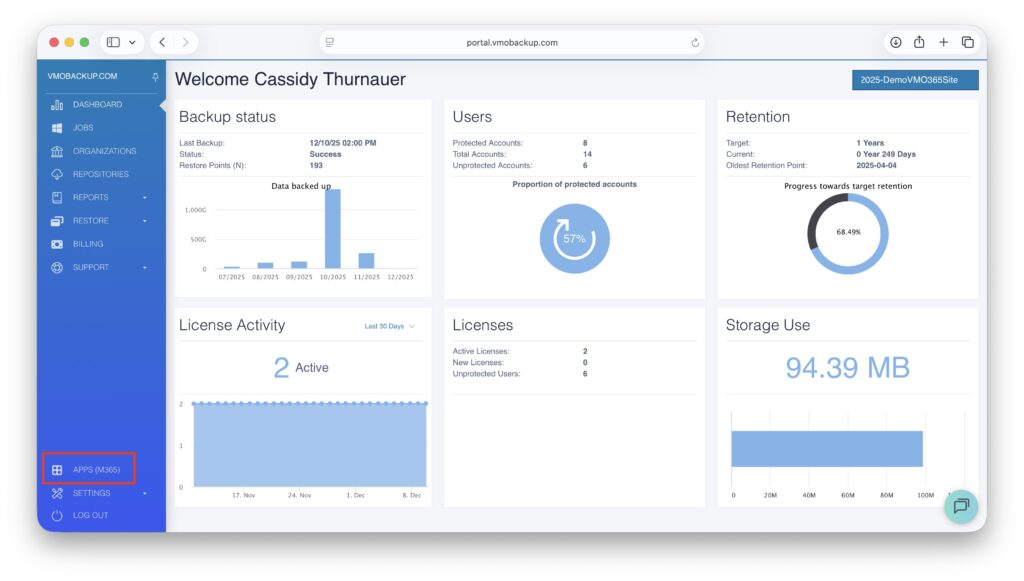
- In the left menu, select Apps (M365), then choose Organizations.
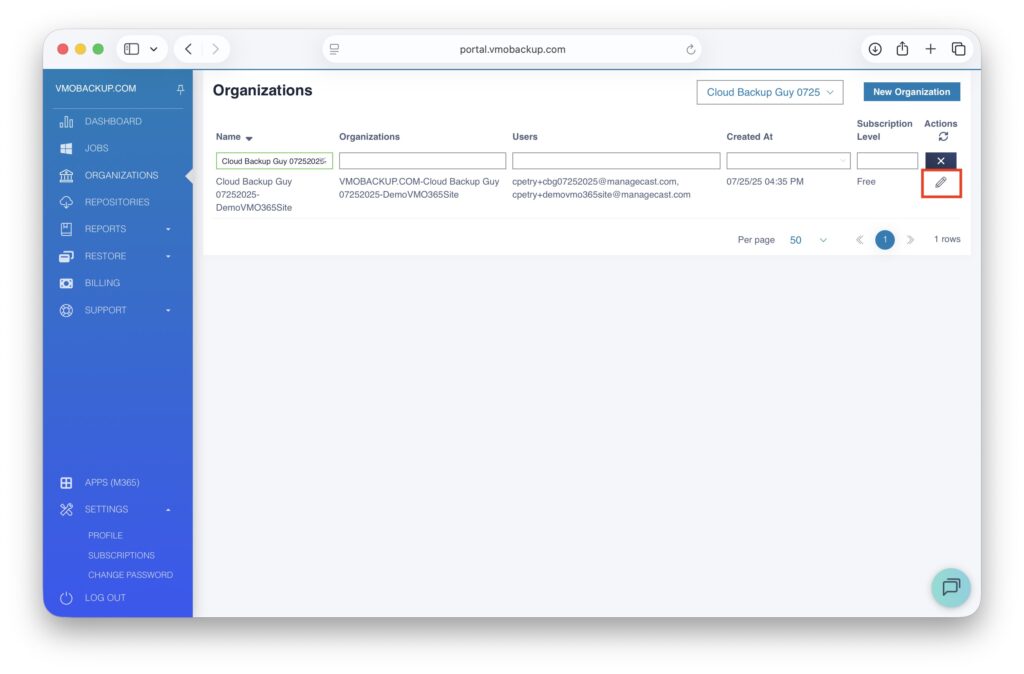
- Find your organization and click the pencil icon on the right to edit it.
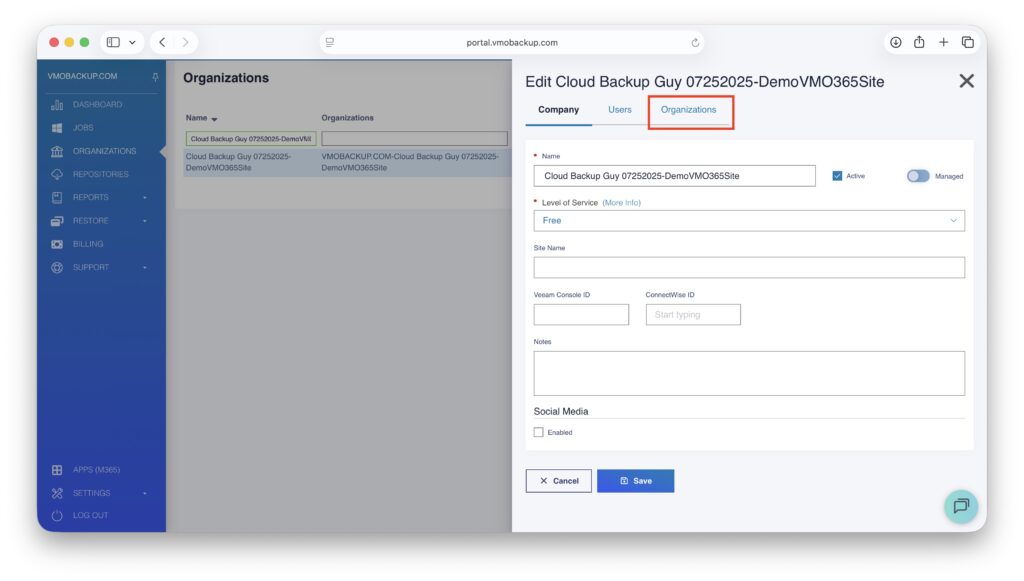
- Open the Organizations tab.
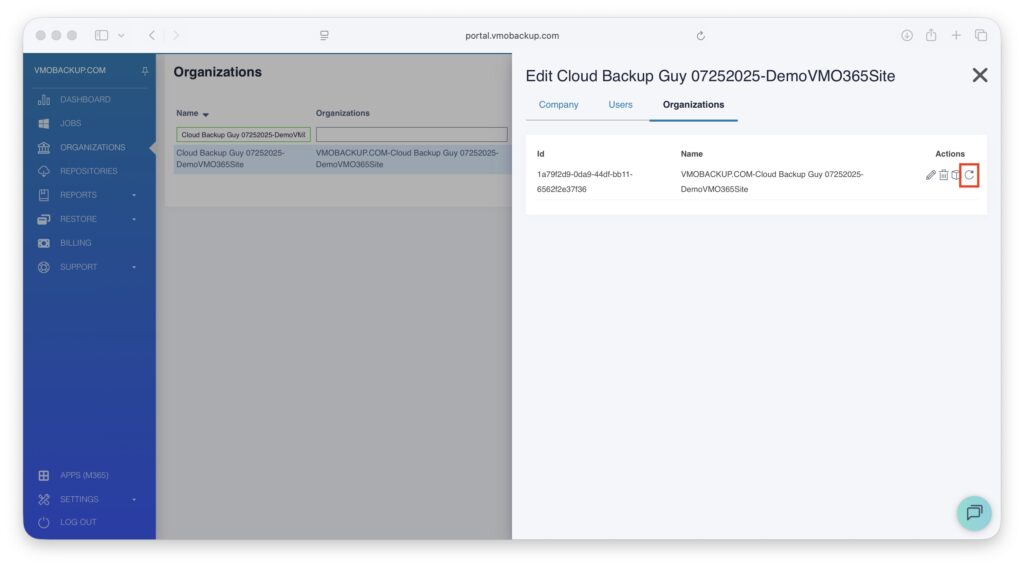
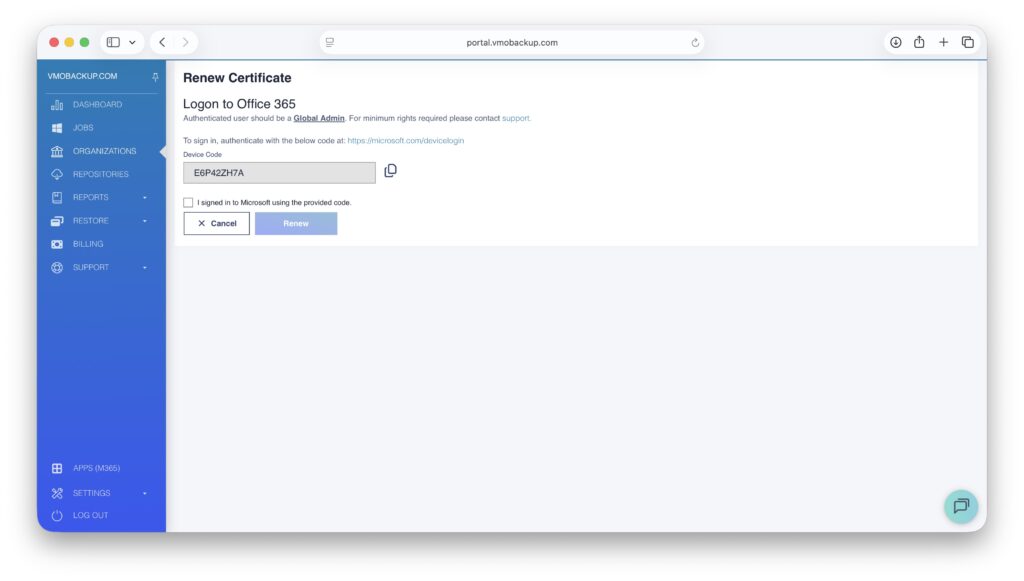
- Click Renew certificate and follow the steps in the wizard. You will need Global Administrator permissions in the Microsoft 365 tenant to complete the renewal.
6. Click the copy icon to get the Device Code then open the provided Microsoft login link.
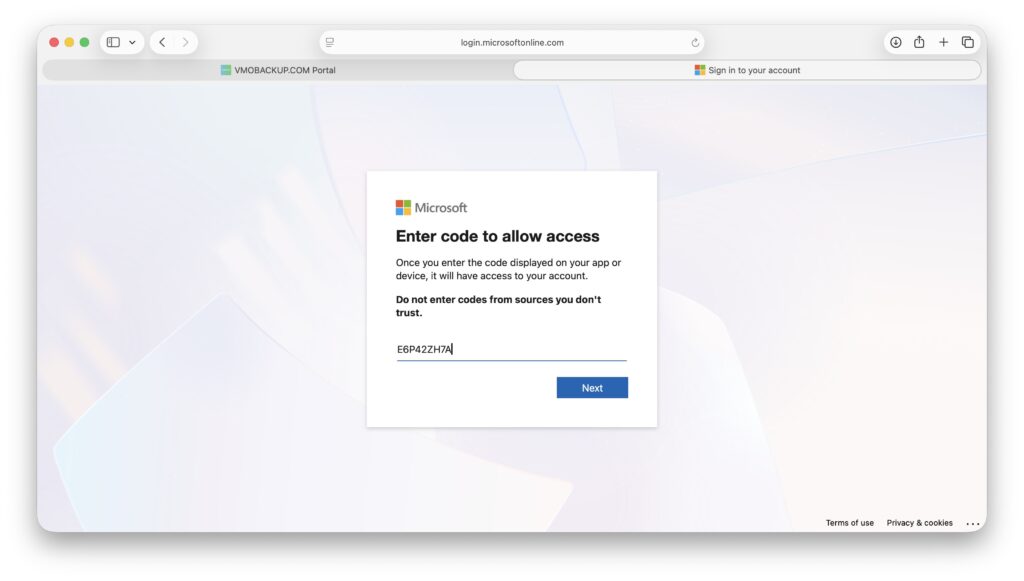
7. Paste the provided code and log in with a Global Admin account.
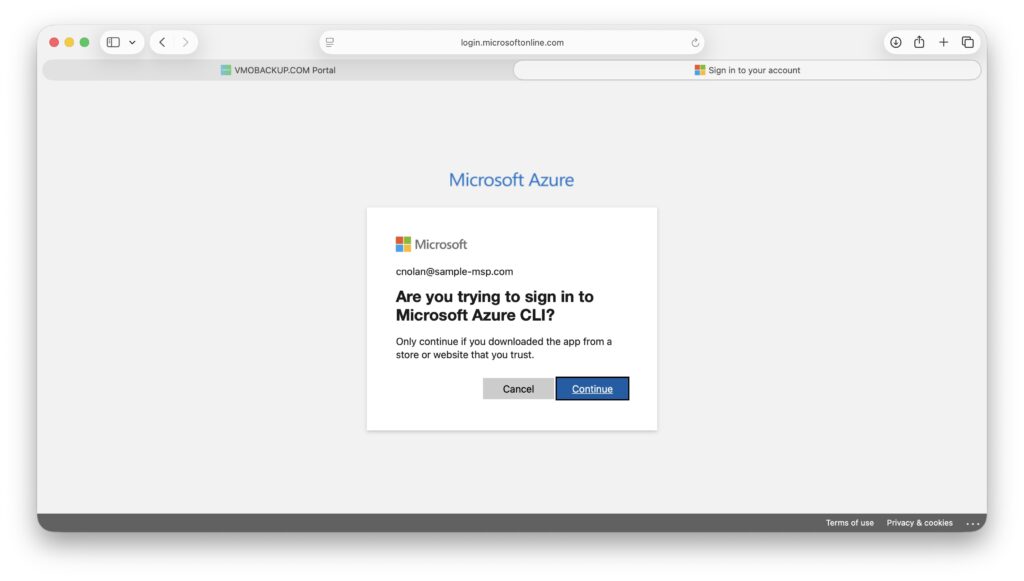
8. Continue sign in.
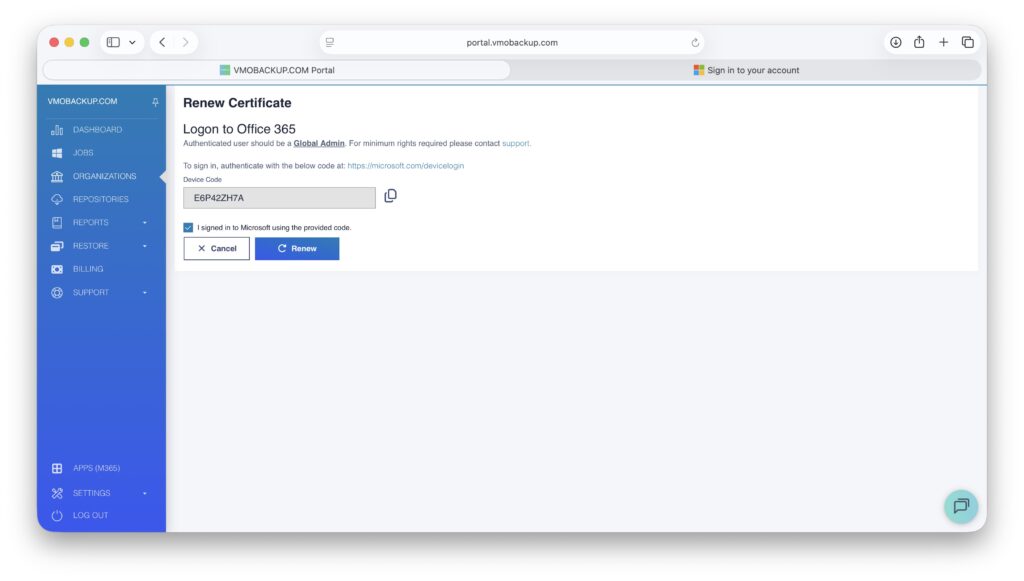
9. Check the box “I signed into Microsoft using the provided code”. Click Save.
10. A success message will appear.